AFTER THE CLEANING QUOTE
A sent quote needs a clear next step.
Keep track of who has your quote, what they said and when you agreed to reconnect. LeadBroom gives cleaning business owners and small office teams one place to pick up the conversation.
For businesses that already have inquiries
This workflow fits a residential or commercial cleaning business where the owner or a small administrative team handles incoming inquiries and quotes. It is especially useful when the next step is otherwise buried in a notebook, text thread or someone’s memory.
LeadBroom does not find customers for you or automatically import inquiries from other services. It is not a cleaning schedule, payroll system or a way to collect cleaning-service payments. You add the lead and use your own phone, email or messaging service to contact the customer.
From an inquiry to the next conversation
Consider a fictional office-cleaning inquiry. The customer wants a quote after a walkthrough, and you need to keep the scope and next contact together.
Capture the inquiry
Add the lead, contact details and relevant notes. Record what you still need to learn, such as the areas to clean or the requested frequency.
Prepare and share the quote
Put the agreed cleaning scope into a quote. Publish it to create a customer quote link, then share that link yourself through the customer’s chosen channel. Publishing or recording a sent quote does not send an email or text for you.
Record the response
Customers can view and respond through the quote link. If a response comes by phone or message instead, record the relevant outcome in the lead’s history. Review the latest quote version before continuing the conversation.
Choose the next action
If the customer needs a revised scope, prepare that revision. If they ask you to call next week, set the follow-up for that agreement. The Today view brings due work into view so you can choose whom to contact.
Finish or hand over the follow-up
After you make the call or send the message, record the outcome and next step. If the customer declines or asks for no more contact, close the follow-up. An unanswered quote is not a booking, invoice or payment.
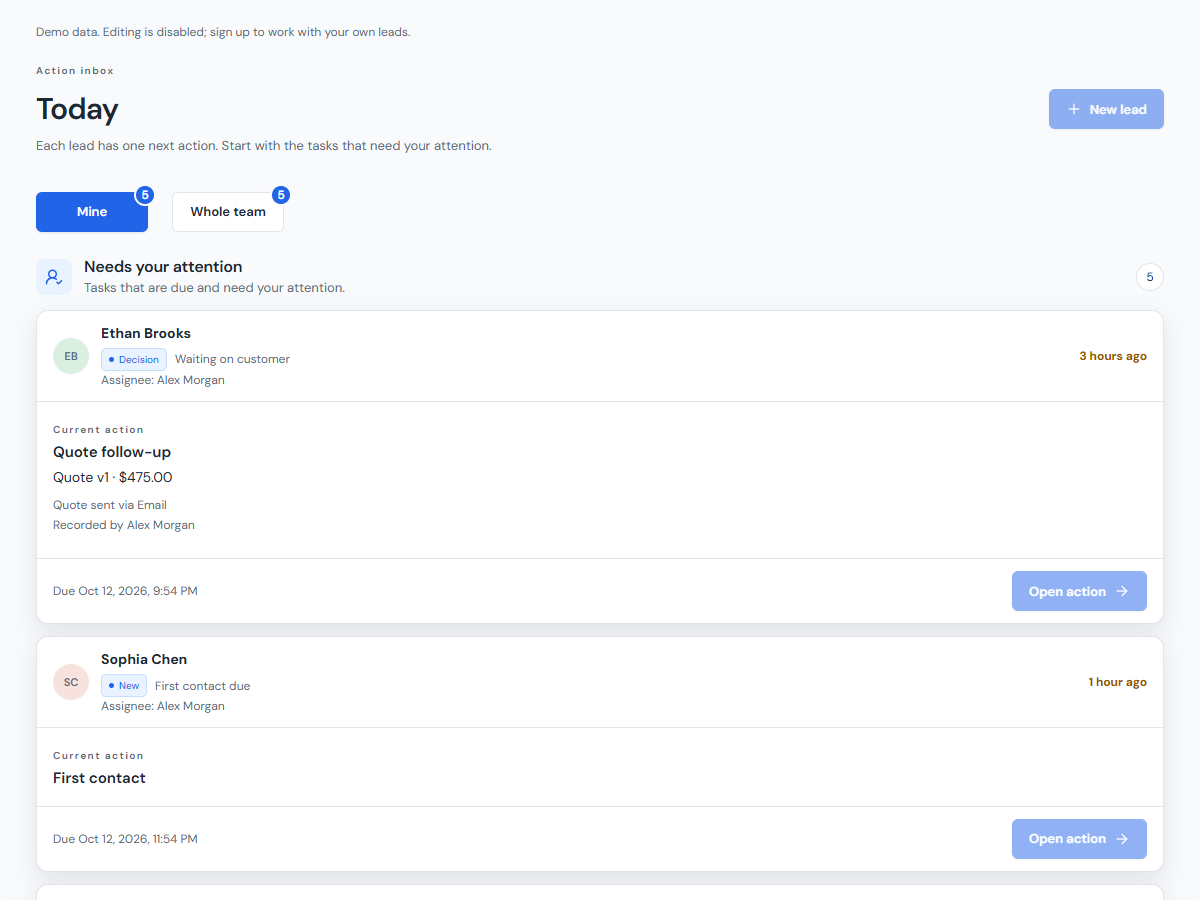
Explore the interactive Today demo to see the current interface. Sample dates and names are for illustration.
One owner, or a small team sharing the work
Working alone, you can use the lead history and Today list to return to a quote without reconstructing the conversation. On Team, assign a lead to an active workspace member and leave the context they need: the latest scope, the customer’s response and the next agreed action.
A useful handoff is specific: “The customer asked whether the entryway is included. Review the current quote, answer that question and record the result.” Workspace seats are for people using the software; they are not a count of your cleaning staff.
Write the message yourself, with a useful starting point
Use our six cleaning quote follow-up templates for common situations. They are free to read and copy without an account. Replace the placeholders, check the facts and send through your own channel. LeadBroom does not automatically send email, SMS or WhatsApp follow-ups.
There is no single follow-up interval for every customer. Use the timing and channel you agreed on, allow time for a decision and respect a request to stop. A clearer workflow can help you stay organized; it does not guarantee bookings.
Try the workflow before choosing a plan
New workspaces start with a 30-day Team trial, with no credit card required. Solo is $19 per month or $190 billed yearly, for 1 active member including the owner. Team is $39 per month or $390 billed yearly, for 5 active members including the owner. Prices are in USD, including applicable taxes.
Paid monthly or yearly subscriptions renew until canceled. Canceling renewal keeps access through the paid period; it does not automatically request a refund. See Pricing for current availability and full trial and subscription details.